
Choosing an arcade is usually followed by checking a map before leaving. Copying its name into another search can produce a similarly named venue, while a different name on the map can make the correct place harder to find.
Musecat Alpha already stores each arcade's location. Passing that location to Naver Map as the destination removes part of the repeated search. The directions button on the detail page provides this connection.
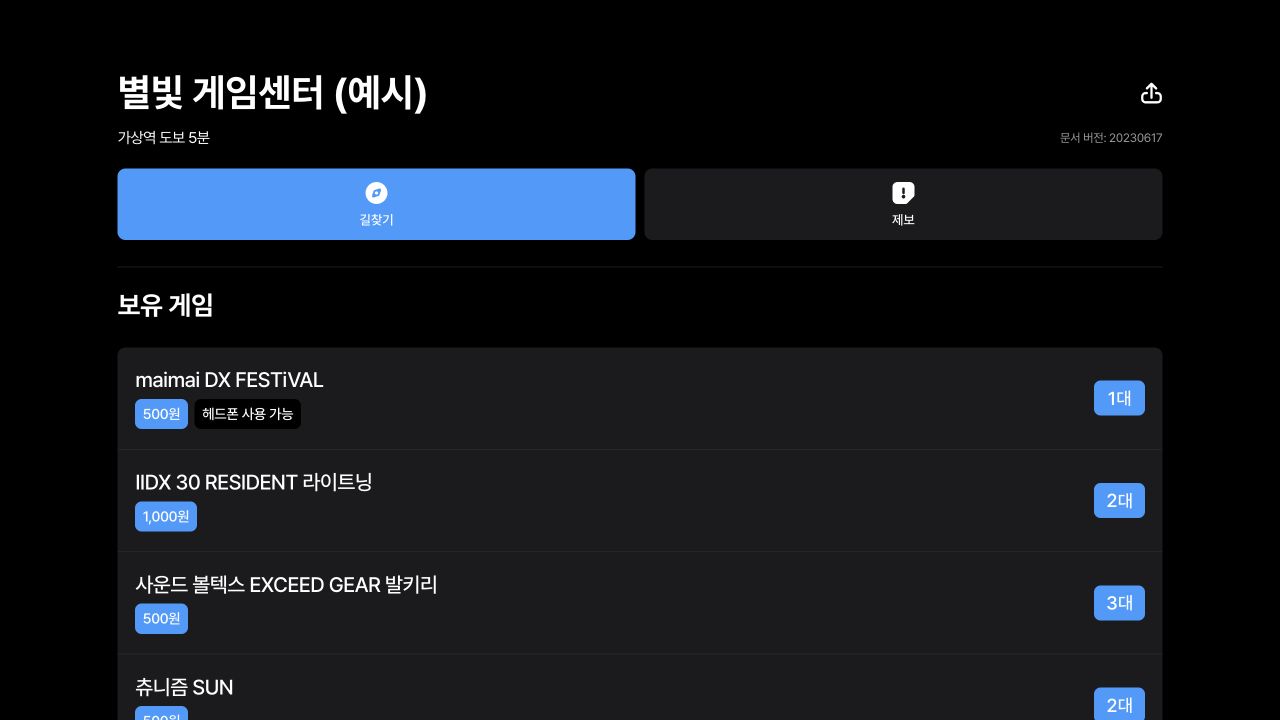
Reproduction of the June 17, 2023 code with synthetic sample data. The directions button passes the selected arcade to Naver Map. Original Korean screen; Alpha supported Korean only.
Place searches and destination selection
Searching by name is useful before a destination has been chosen. Once someone has selected an arcade's detail page, repeating that search offers less value. Several venues sharing a name, for example, require the user to identify the correct branch again.
We therefore pass stored coordinates along with the name. Coordinates describe a location using latitude and longitude. Musecat supplies the selected location; Naver Map provides the route and transport information for reaching it.
A shared function for map URLs
Naver Map's web address accepts destination parameters. Alpha's GetNaverMapLink function places longitude, latitude and venue name in elng, elat and etext, then opens a new window. Including the displayed name helps the user recognize the destination.
Actions that open a venue from its address or map use the same function. Building the URL separately in every button could produce different destination information, so the shared function constructs it from the same place data.
Directions on mobile and desktop
The information sent varies slightly by browsing environment. A browser recognized as mobile receives a destination-focused URL. Desktop also receives the current longitude and latitude as a starting point.
Both paths open a Naver Map web address. The button does not guarantee direct launch of a native mobile app. Musecat passes origin and destination information, while the map service determines the subsequent interface and route.
Coordinate links and location accuracy
Users can move from an arcade's detail information to directions for that location. Connecting discovery to an existing map service fits this stage better than building another route-calculation system inside Musecat.
A coordinate can still point to a building's center rather than its entrance. It cannot explain every access point after arrival. Incorrect coordinates require corrections to the venue data, while route updates depend on the map service.
Reference: Directions link implementation.